
In this article
- Why payment tracking matters in travel
- 1. Start from the finalized quotation
- 2. Break the customer payment into a schedule
- 3. Record each payment as it arrives
- 4. Attach supplier costs to the booking
- 5. Track what you have paid suppliers
- 6. Watch the net position
- Know your profit by trip, destination and team member
- How the Ivonix Travel CRM handles it
- Start with one column
Why payment tracking matters in travel
A travel booking is a chain of payments. The customer pays you in parts, and you pay hotels, transport providers and other suppliers on their own dates. If these two streams live in different notebooks, you can easily find yourself paying a supplier before the customer has paid you, or chasing a balance a week before departure.
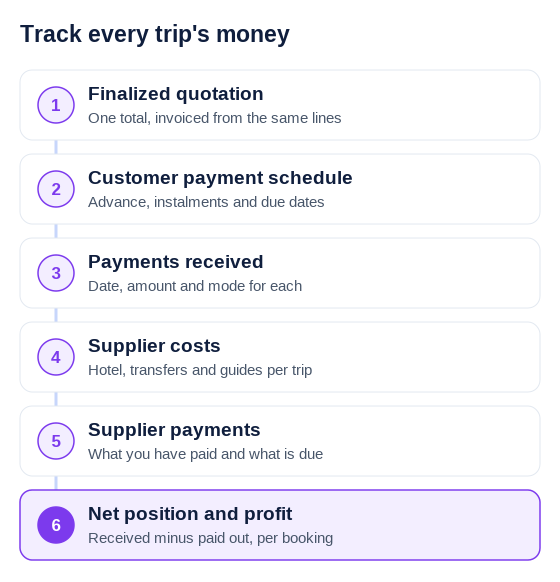
1. Start from the finalized quotation
The numbers should come from one place. When a quotation is finalized, the invoice is created from the same line items, so the amount the customer owes is never retyped. A booking that starts with two different totals ends with an argument.
2. Break the customer payment into a schedule
Few customers pay everything at once. Record the advance, the second instalment and the final balance with their due dates. The schedule then shows what has been received, what is pending and what is overdue for every booking.
3. Record each payment as it arrives
Note the date, the amount and the mode, such as bank transfer, UPI or cash. A running record means you can answer "what is pending on this trip?" in seconds, instead of searching through bank statements.
4. Attach supplier costs to the booking
For each trip, add what you owe each supplier: the hotel, the transfer company, the guide. Seeing the supplier cost next to the customer price is what turns a booking into a profit figure.
5. Track what you have paid suppliers
Supplier payments have due dates too. Record what you have already paid and what is still due, so you never pay late or pay twice.
6. Watch the net position
The net position of a trip is what the customer has paid minus what you have paid out. If it is negative, you are funding the trip from your own pocket. Keeping an eye on it prevents cash-flow surprises, especially for trips with large advance payments to suppliers.
Know your profit by trip, destination and team member
Once payments and supplier costs are in one system, profit and loss reports follow naturally. You can see which trips earned well, which destinations are worth pushing and which team members close the most profitable bookings. This is hard to do from spreadsheets, because the figures sit in different files.
How the Ivonix Travel CRM handles it
In the Ivonix Travel CRM, a finalized quotation becomes an invoice with a payment schedule. You record customer payments against it, add supplier costs to the quotation, and see the net position and profit for the booking. Reports break profit down by trip, destination and member. See the screens on the travel CRM software page, or read how a quotation moves from requirement to invoice.
Start with one column
If you are using spreadsheets today, add one column to your booking sheet this week: what the customer has still to pay. It takes five minutes, and it is the first step toward knowing where your money is. When you want it automatic, you can talk to our team about a demo.
Want this working in your business?
Tell us what you are working on and we will show you how it fits. No pressure, no jargon.